Step-by-step Guide: How to export Apple Music playlist
-
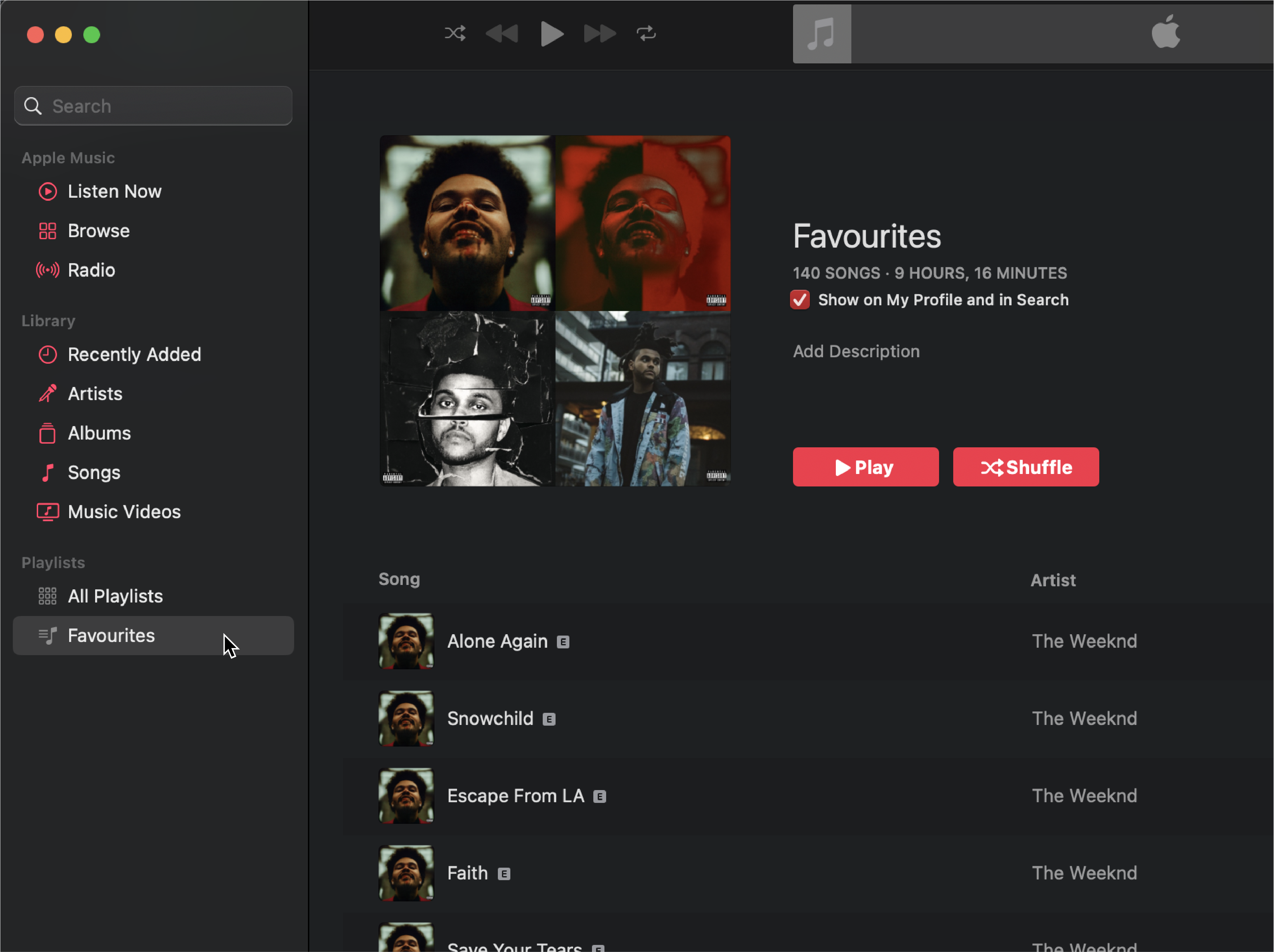
Open the Apple Music desktop app and select the playlist you want to export.
-
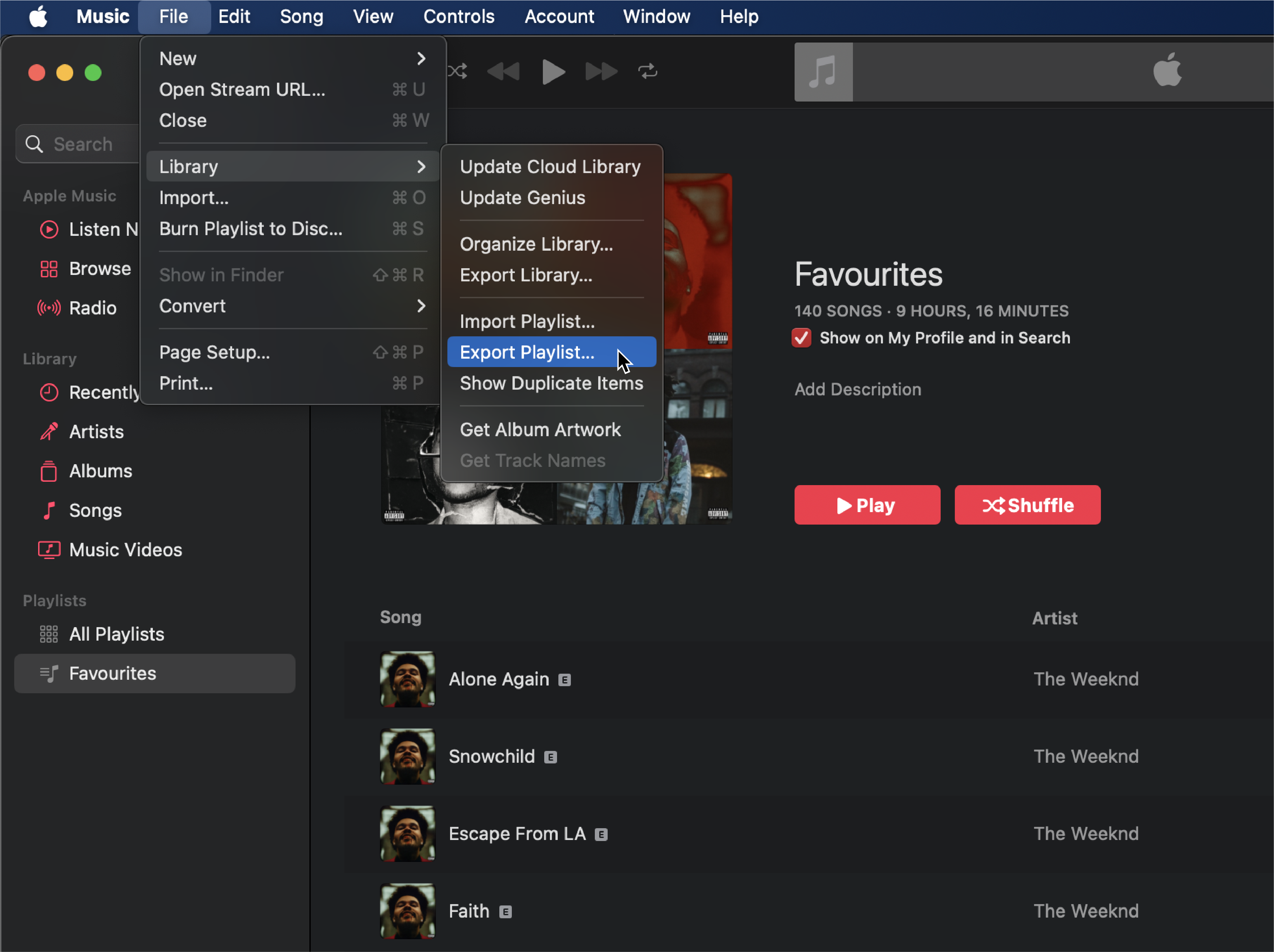
Navigate to the "File" menu, then choose "Library," and finally select "Export Playlist".
-
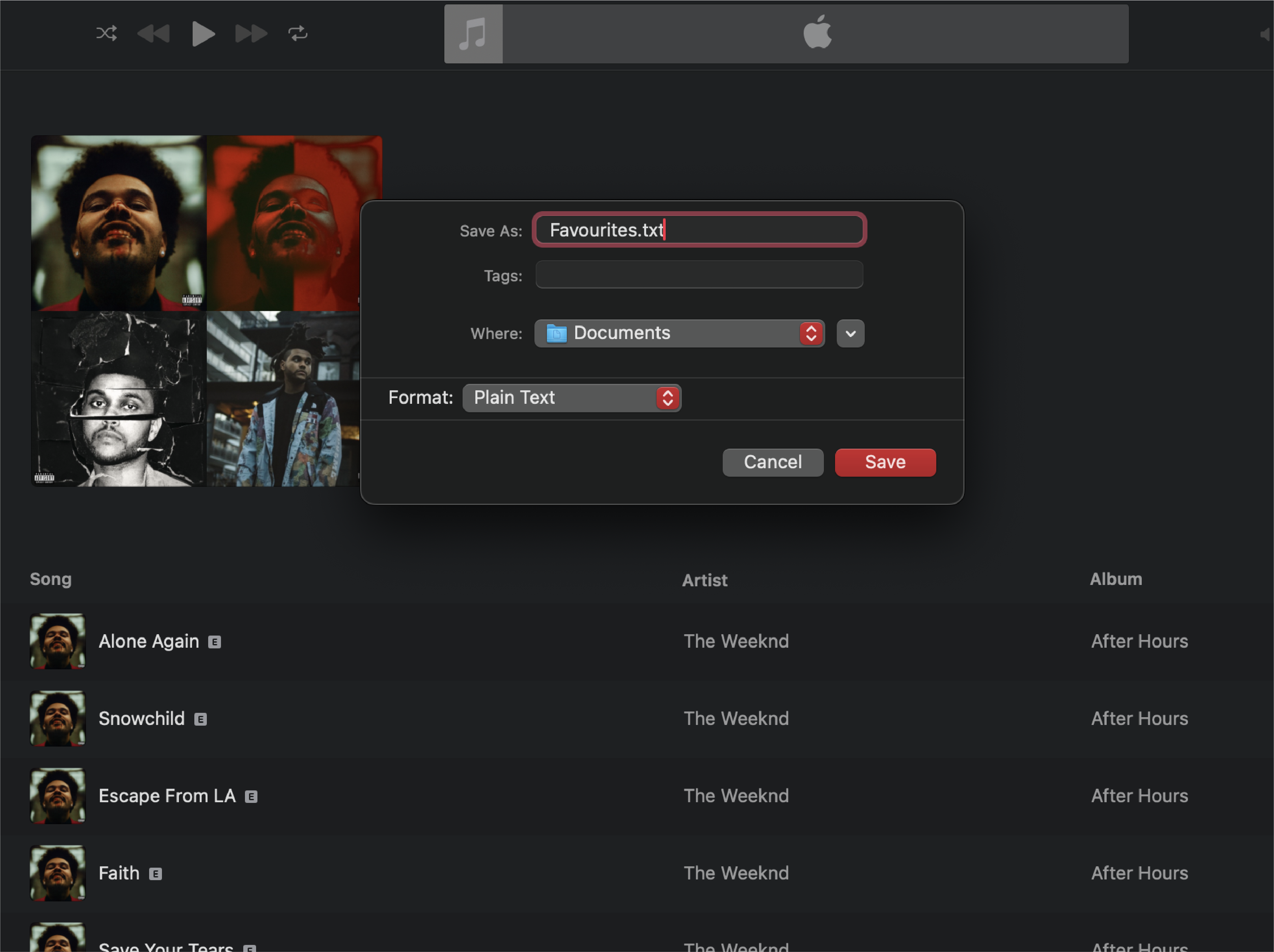
Choose a location on your computer to save the playlist file. Remember this location for future reference.
-
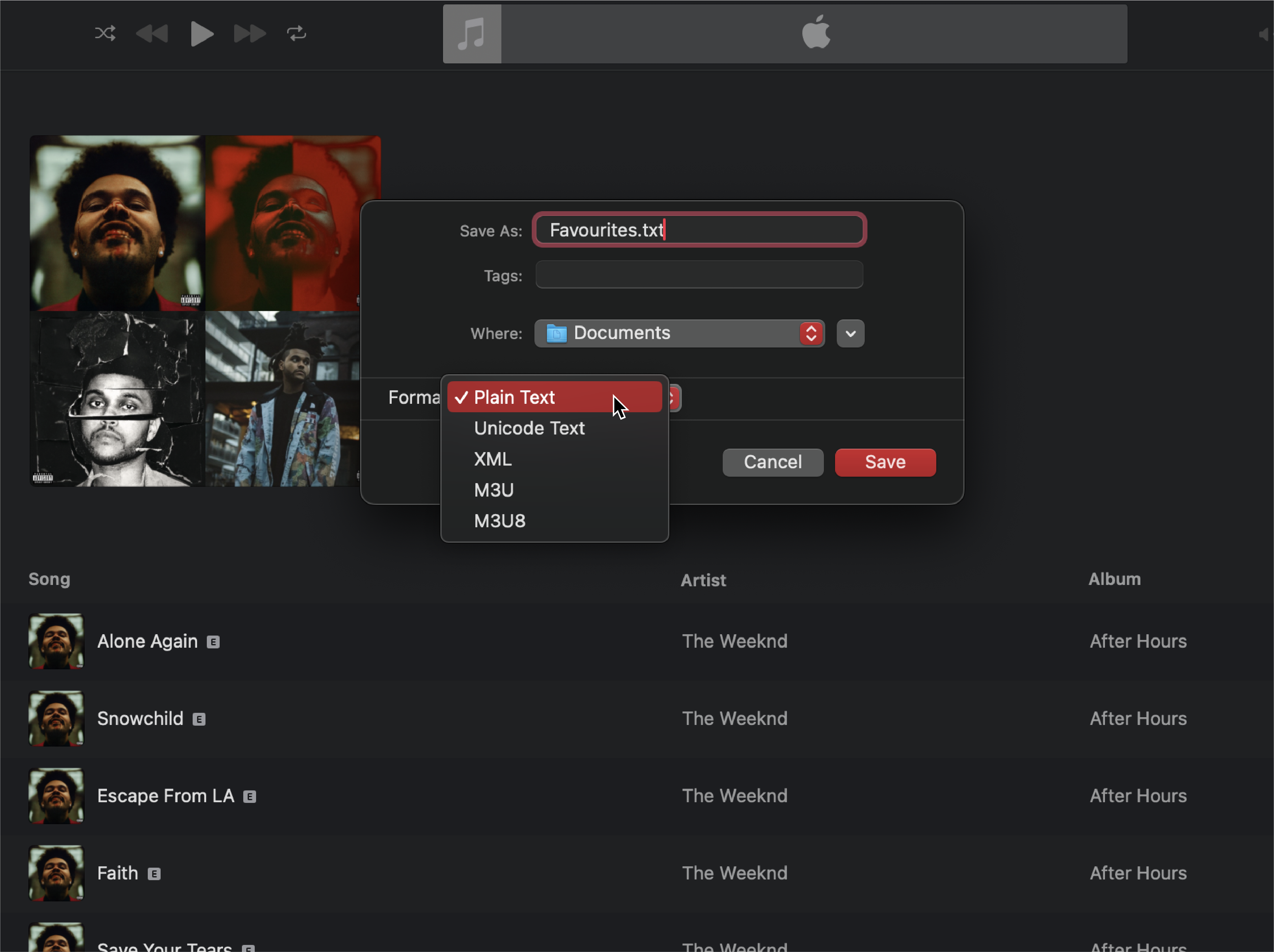
When saving the file, ensure that you select the option to export it as a plain text file.
- Head back to the home page and upload the exported playlist file.